
Executive Summary
Step-by-step diagnosis and repair guide when your operating table remote control is not working — batteries, pairing, pendant cable, keypad, and control board fixes.
Few things disrupt an operating room schedule faster than an operating table remote control not working five minutes before incision. The patient is already on the table, anesthesia is ready, and the surgeon asks for Trendelenburg — and nothing happens. In my years supporting hospitals and distributors across more than a dozen countries, I have seen this exact scenario play out more times than I can count, and in the majority of cases the fix took less than thirty minutes once the technician followed a structured diagnostic sequence instead of guessing.
If the remote fails mid-case, the column-mounted override is the fallback: see our operating table manual override guide.
The hand pendant — whether it is a wired remote, a wireless RF handset, or an infrared controller — is the primary human interface of every modern electric operating table. When it fails, the entire table is effectively out of service even if every motor and actuator underneath is perfectly healthy. That is why pendant faults account for a disproportionate share of “dead table” service calls. The good news: most failures trace back to a short list of root causes — dead batteries, a damaged coiled cable, a lost pairing, liquid ingress, or a faulty membrane keypad — and nearly all of them can be isolated with a multimeter and a methodical approach. This guide walks you through the exact diagnosis and repair sequence we use in our own spare parts and technical service workflow, so you can get the table back into the surgical schedule quickly and safely.
Before we begin, one boundary condition: if your table shows any sign of electrical leakage, a tripped ground-fault breaker, or a burning smell, stop here and treat it as an electrical safety incident, not a remote control problem. Our companion article on operating table grounding fault troubleshooting covers that scenario in detail. Everything below assumes the table powers on normally and the fault is confined to the control interface.
Understanding How the Remote Control System Works
You cannot troubleshoot what you do not understand, so a quick architecture review is worthwhile. On a typical electric operating table, the control chain has four links: the hand pendant itself, the connection medium (coiled cable, RF link, or IR beam), the main control board inside the column or base, and the actuator drive circuit. A failure at any link produces the same symptom — pressing a button does nothing — but the repair is completely different. Worse, some documented field cases show that a stretched pendant cable can damage not only the cable but also the relay box it connects to, turning a cheap fix into an expensive one. This is why blind component swapping is discouraged: plugging a suspect pendant into a second table to “test” it can actually propagate damage to the healthy table’s control board, a failure mode that at least one major manufacturer explicitly warns against in its technical bulletins.
From a regulatory standpoint, the hand controller is not a trivial accessory. IEC 60601-2-46, the particular standard for the basic safety and essential performance of operating tables (current edition published in 2023, structurally aligned with IEC 60601-1 Amendment 2), treats positioning functions as essential performance. An uncontrolled or non-functional movement command is a safety issue, which is why quality tables ship with redundant controls — typically a backup panel on the column or an override foot switch. The existence of that backup is also your best diagnostic friend, as you will see in Step 2.

Step 1: Confirm the Symptom and Rule Out the Obvious
Start by defining the fault precisely, because “the remote doesn’t work” covers at least five distinct failure patterns, each pointing to a different subsystem:
- Totally dead pendant — no indicator LEDs, no response on any button. Suspect power: batteries, cable, or connector.
- Pendant lights up but no movement — the handset is alive; suspect pairing loss, enable/lock function, or the downstream control board.
- Some buttons work, others do not — classic membrane keypad wear or a partially damaged cable conductor.
- Intermittent operation — works when the cable is held at a certain angle, or works from one side of the table but not the other. Suspect a fatigued conductor or a weak RF link.
- Delayed or jerky movement — usually not the pendant at all; suspect low system voltage, a failing actuator, or hydraulic issues.
While you are characterizing the symptom, also check the boring stuff first: Is the table’s main power switch on? Is the emergency stop engaged or half-latched (a partially rotated E-stop is a notorious time-waster)? Is the battery indicator on the base lit? In documented service bulletins, a completely dead pendant accompanied by no battery indicator and no emergency function points to cable and relay-box damage rather than a handset fault — so these thirty seconds of observation genuinely narrow the search.
Step 2: Test with the Backup Control Panel
This is the single most valuable diagnostic move, and it costs nothing. Almost every table built to IEC 60601-2-46 expectations has a secondary control interface: an override panel on the column, a nurse control, or a foot switch. Run the full range of movements from that backup.
If the table moves normally from the backup panel, you have just isolated the fault to the pendant and its connection path — the motors, actuators, and main drive electronics are exonerated. If the table does NOT move from the backup either, the pendant is probably innocent and you should redirect your investigation to the control board, power supply, or enable circuit. I have watched technicians order a $400 replacement handset when the actual fault was a $12 fuse on the main board; two minutes with the backup panel would have prevented that.
Field rule: never replace the pendant before proving the fault with the backup controls. The pendant is the most-blamed and least-guilty component in the entire control chain.
Step 3: Check Batteries and Wireless Pairing
For wireless (RF or infrared) handsets, battery and pairing faults account for the overwhelming majority of calls. Work through them in order:
Battery replacement done right
Replace the batteries with fresh, name-brand cells of the specified type — do not mix old and new, and do not mix chemistries (alkaline with NiMH rechargeables, for example, produces uneven discharge curves and confusing intermittent symptoms). Clean the battery contacts with isopropyl alcohol while you are in there; a thin oxide film on the spring contacts causes exactly the “works sometimes” behavior that drives technicians crazy. After replacement, confirm the handset powers up: most units flash an LED or show a battery icon on a small display.
Re-pairing the handset
RF pendants can lose their pairing after a battery change, a power interruption, or a control-board reset. The re-pairing procedure is model-specific — typically a long press on a recessed pair button on the handset while the table base is in pairing mode — so pull the service manual rather than guessing. Two cautions from experience: first, perform pairing with no other table of the same model powered on nearby, because handsets can bind to the wrong base; second, after pairing, test every single movement key, not just one, before declaring success.
For infrared pendants, the equivalent checks are line-of-sight and ambient interference. Direct sunlight or high-output LED surgical lighting aimed at the IR receiver window on the column can swamp the signal. Clean the receiver window and the pendant’s IR emitter with a soft cloth, then retest with the OR lights dimmed to see whether interference is the culprit.
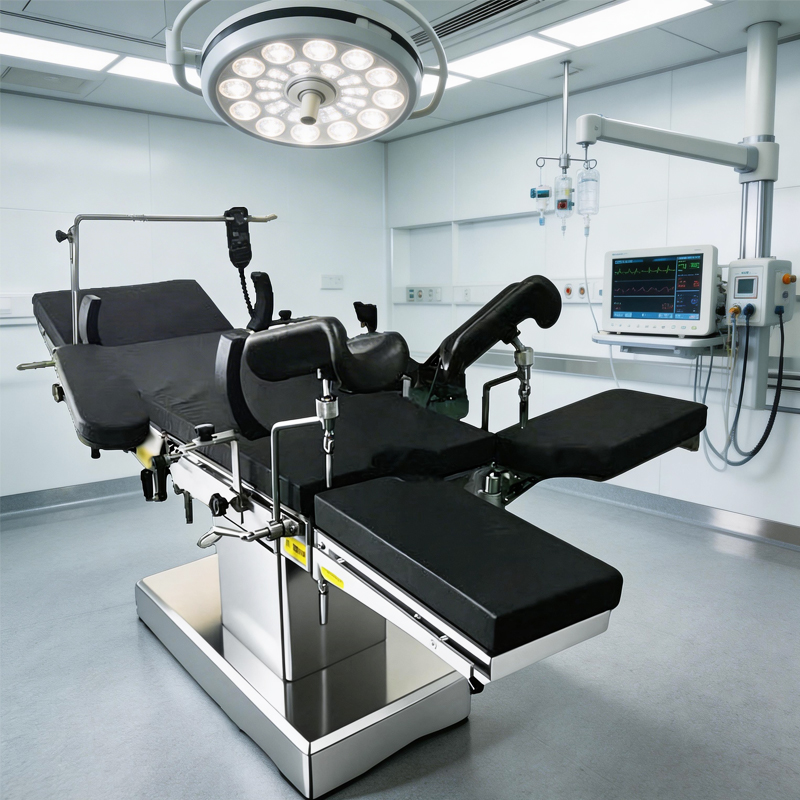
Step 4: Inspect the Pendant Cable and Connector
For wired pendants, the coiled cable is the number-one mechanical failure point, and it is not close. The cable gets stretched to reach around the sterile drape, run over by casters, pinched in accessory clamps, and twisted thousands of times over its service life. Conductors fatigue inside the insulation long before the jacket shows damage, which is why a cable can look perfect and still be broken.
Your inspection sequence:
- Visual: look for jacket cuts, crushed sections, stretched coils that no longer retract, and discoloration from cleaning chemicals.
- Connector: check for bent or pushed-back pins, green corrosion from liquid ingress, and a worn locking ring that lets the plug wobble in the socket.
- Strain reliefs: flex the cable gently at both ends while operating a known-good function; if movement cuts in and out, the conductor is fractured at the strain relief — the most common break point.
- Continuity test: with the table powered down and the pendant disconnected, meter each conductor end-to-end. Any open or high-resistance line condemns the cable.
One important warning, echoed in manufacturer technical bulletins: a cable that has been severely over-stretched can take out the relay box or socket electronics along with it. If you find cable damage, inspect the socket pins and the relay board before simply bolting on a new cable — otherwise the new cable inherits the fault and you will be back in a week. And never test a suspect pendant by plugging it into a different table; as noted earlier, this can damage the healthy table.
The coiled pendant cable is a consumable, not a lifetime part. If your fleet is more than three years old and heavily used, stock spare cables — it is the cheapest insurance against a cancelled case.
Step 5: Diagnose the Keypad, Housing, and Liquid Ingress
If power and connection are proven good but button presses do not register, the fault is inside the handset. The usual suspects, in order of probability:
Membrane keypad wear. Pendant keypads are membrane switches rated for a finite number of actuations. The most-used keys — height up/down and Trendelenburg — die first, which produces the classic “some buttons work” pattern. There is no field repair for a worn membrane; the keypad assembly or the whole pendant gets replaced.
Liquid ingress. Operating tables live in a wash-down environment. Blood, saline, and disinfectant find their way through button seams and cable entries, then corrode the PCB tracks. Telltale signs: sticky buttons, residue around seams, white or green corrosion visible through any gap, and faults that appeared right after a deep clean. If you open a pendant and find moisture, do not just dry it and hope — corrosion continues under the tracks. Clean the board with electronics-grade isopropyl alcohol, inspect under magnification, and replace the unit if any track is eaten through. Longer term, enforce a cleaning protocol that sprays disinfectant onto the cloth, never directly onto the pendant.
Housing and drop damage. A pendant dropped onto a hard floor can crack its internal PCB or knock a connector loose without any external mark. If the fault history includes “it stopped working after someone dropped it,” open the housing and reseat every internal connector before condemning the board.
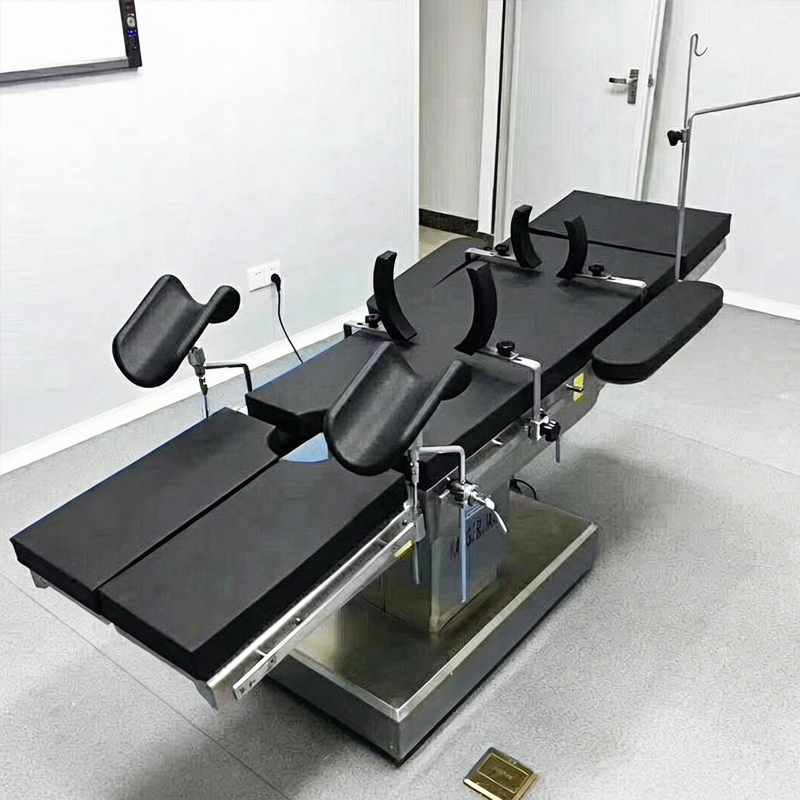
Step 6: When the Problem Is Not the Pendant — Control Board and System Faults
When Steps 1–5 all pass and the backup panel is also dead, the investigation moves inside the column. This is the point where in-house biomed teams should honestly assess their scope: control-board work involves mains voltage, stored charge in capacitors, and model-specific diagnostic software, and it sits squarely in service-manual territory. That said, there are safe checks a competent technician can perform:
- Fuses and power rails: verify the low-voltage control rail at the board input. A dead rail with a good mains supply means a failed power supply module.
- Error codes: many modern tables blink diagnostic codes on the base LEDs or show them on the column display. Record the exact pattern and match it against the service manual before touching anything else.
- Connector reseats: vibration loosens board-edge and ribbon connectors over years. Power down, discharge, reseat, retest — this alone revives a surprising number of “dead” tables.
- Enable and interlock circuit: a stuck table-lock sensor or a faulty accessory-detection switch can inhibit all movement while looking exactly like a control failure.
If the board itself is condemned, source the replacement through a supplier that can guarantee revision compatibility — control boards get revised, and a wrong-revision board can pair poorly with your existing actuators and pendant. This is precisely the situation our spare parts service exists for: tell us the table model and serial number, and we match the correct pendant, cable, or control board revision before shipping, anywhere in the world.
Troubleshooting Summary Table
Use this quick-reference matrix when triaging a call. It condenses the whole diagnostic tree into a one-page checklist your biomed team can tape inside the service cabinet.
| Symptom | Most Likely Cause | First Check | Typical Fix |
|---|---|---|---|
| Pendant totally dead, no LEDs | Dead batteries / broken cable / relay box damage | Battery indicator on base; cable continuity | Replace batteries or pendant cable; inspect relay box |
| Pendant lit, no movement | Pairing lost / lock engaged / control board | Backup panel test; re-pair handset | Re-pair, release lock, or board-level repair |
| Some buttons dead | Membrane keypad wear / partial cable break | Map exactly which functions fail | Replace keypad or pendant assembly |
| Intermittent operation | Fractured conductor / corroded contacts / IR interference | Flex cable at strain reliefs; dim lights for IR test | Replace cable; clean contacts; shield IR path |
| Fault appeared after cleaning | Liquid ingress into pendant | Open housing, inspect PCB for corrosion | Clean or replace pendant; fix cleaning protocol |
| No movement from any control | Power supply / control board / interlock | Error codes; control rail voltage; fuses | Board or PSU replacement via spare parts channel |
Preventing Remote Control Failures: A Simple Maintenance Routine
Repair is good; prevention is cheaper. The hospitals with the fewest pendant failures in our customer base all do the same handful of things, none of which require special tools:
- Weekly: wipe the pendant with a cloth dampened (not soaked) in approved disinfectant; verify every movement key once; check that the coiled cable retracts freely.
- Monthly: inspect cable jacket and strain reliefs under tension; clean battery contacts on wireless units; test the backup panel so it is never a surprise.
- Annually: include pendant function and cable continuity in the IEC 60601-based preventive maintenance round; replace batteries on a schedule rather than on failure.
- Always: hang the pendant on its holder — never on the rail where it gets crushed by clamps, and never let it dangle by the cable over the floor.

From the manufacturing side, I can add one procurement note: when you are evaluating new tables, ask the vendor about pendant ingress protection rating, keypad actuation life, cable pull-test values, and whether the pendant is field-replaceable without opening the column. These four answers predict your five-year remote-control service cost better than any brochure specification. Our own operating table range is designed around exactly these serviceability points, because a pendant that takes forty minutes and a service engineer to swap is a hidden tax on every hospital that buys it.
Conclusion
An operating table remote control not working is stressful in the moment, but it is rarely a mystery. Define the exact symptom, exonerate the table with the backup panel, then work the short list: batteries and pairing for wireless units, cable and connector for wired ones, keypad and ingress inside the handset, and control-board checks only after everything else passes. Follow that order and you will resolve the large majority of faults with a multimeter, fresh batteries, and one spare cable — no factory engineer required. And when the fault does turn out to be a board or a revision-sensitive component, get the part matched to your model and serial number through a proper spare-parts channel rather than gambling on a generic substitute. Your surgical schedule, and your patients, deserve nothing less.

Frequently Asked Questions
Why did my operating table remote stop working suddenly with no warning?
Sudden total failure usually means a power-side event: fully exhausted batteries, a cable conductor that finally fractured after weeks of intermittent warning signs, or a lost RF pairing after a power interruption. Start with the backup panel test to confirm the table itself is healthy, then check batteries, cable continuity, and pairing in that order.
Can I test a suspect pendant by plugging it into another table?
No — this is explicitly warned against in manufacturer technical bulletins. A pendant with a damaged cable or shorted circuit can damage the control board or relay box of the healthy table you plug it into. Test the pendant on its original table using the diagnostic sequence above, or test it on a bench with a multimeter.
How long should a pendant cable last, and can I repair it instead of replacing it?
In a busy OR, expect roughly three to five years from a coiled pendant cable depending on handling and cleaning practices. We do not recommend splicing or soldering repairs: the cable flexes constantly, and any repaired joint becomes a new fatigue point and a potential ingress path. Cable assemblies are inexpensive relative to a cancelled surgical case — replace them as a unit.
The pendant works, but movement is slow or jerky. Is that still a remote control problem?
Usually not. Once the command reaches the table reliably, sluggish or uneven movement points to low battery voltage in the table’s power system, a worn actuator, or hydraulic issues on hydraulic models. Verify the symptom from the backup panel as well; if it behaves identically, redirect your troubleshooting to the drive system rather than the control interface.
Are third-party or universal replacement pendants safe to use?
Be careful. The pendant is part of the table’s essential performance chain under IEC 60601-2-46, and pinouts, voltages, and communication protocols vary between models and even between production revisions. A mismatched pendant can fail unpredictably or damage the control board. Source replacements matched to your exact model and serial number — our technical team can confirm compatibility before you order.
You May Also Like...

Transit Fixings: The Removal Record to Demand
A transit fixing is any bolt, bracket, pin, chock or strap fitted to keep a...

OR Table Controls: Redundancy Worth Ordering
The hand control that hit the floor yesterday cost you an afternoon of theatre time,...

Rehearsed, Not Discovered: The Emergency Conversion File
An emergency section starts with a call, and the table has to move from a...